If you've ever felt like you're teaching the same things to ChatGPT over and over, you're not imagining it. There's a technical reason it happens, and the usual fixes don't work. Here's what's going on and how I fixed it.
You're Not Imagining It
You spend 10 minutes explaining your brand, your audience, and what you need. ChatGPT nails it. You get exactly what you wanted.
Next day? Same tool, fresh conversation. It has no idea who you are.
Or worse: you're 20 messages into a conversation, and suddenly ChatGPT contradicts something it said 10 messages ago. It's like talking to someone who can only remember the last few things you said.
I used to think I was doing something wrong. Maybe my prompts weren't clear enough. Maybe I needed to explain things differently.
Nope. The problem isn't you. It's how AI memory works.
The Technical Reason (Simple Version)
Every AI model has something called a context window. Think of it as working memory. It's the amount of text the AI can "see" and process at once.
For ChatGPT's latest model (GPT-5.2), that window is up to 400,000 tokens. That's roughly 300,000 words. Sounds huge, right? More than enough for any conversation.
Here's the catch: that window resets every conversation. Start a new chat, and the AI has zero knowledge of anything you've discussed before.
Even within a single conversation, as messages pile up, older information gets pushed out. The AI prioritizes recent messages. So by message 30, it might have "forgotten" what you established in message 5.
The technology works this way by design. The AI isn't learning from you. It's not building a mental model of who you are. It's just processing whatever text is currently in its window.
The Brilliant Contractor with Amnesia
Here's a better way to think about it.
Imagine hiring a brilliant marketing consultant who gets memory-wiped every night. Each morning they show up fresh: "Hi! How can I help?" They have a sticky note on their monitor with a few facts about you (custom instructions). They also have a notebook where they've scribbled some things they learned about you (memory feature), but it's spotty, sometimes wrong, and their assistant decides what gets written there. Somewhere in the building there's a filing cabinet with records of your past conversations (chat history). But they never look at it.
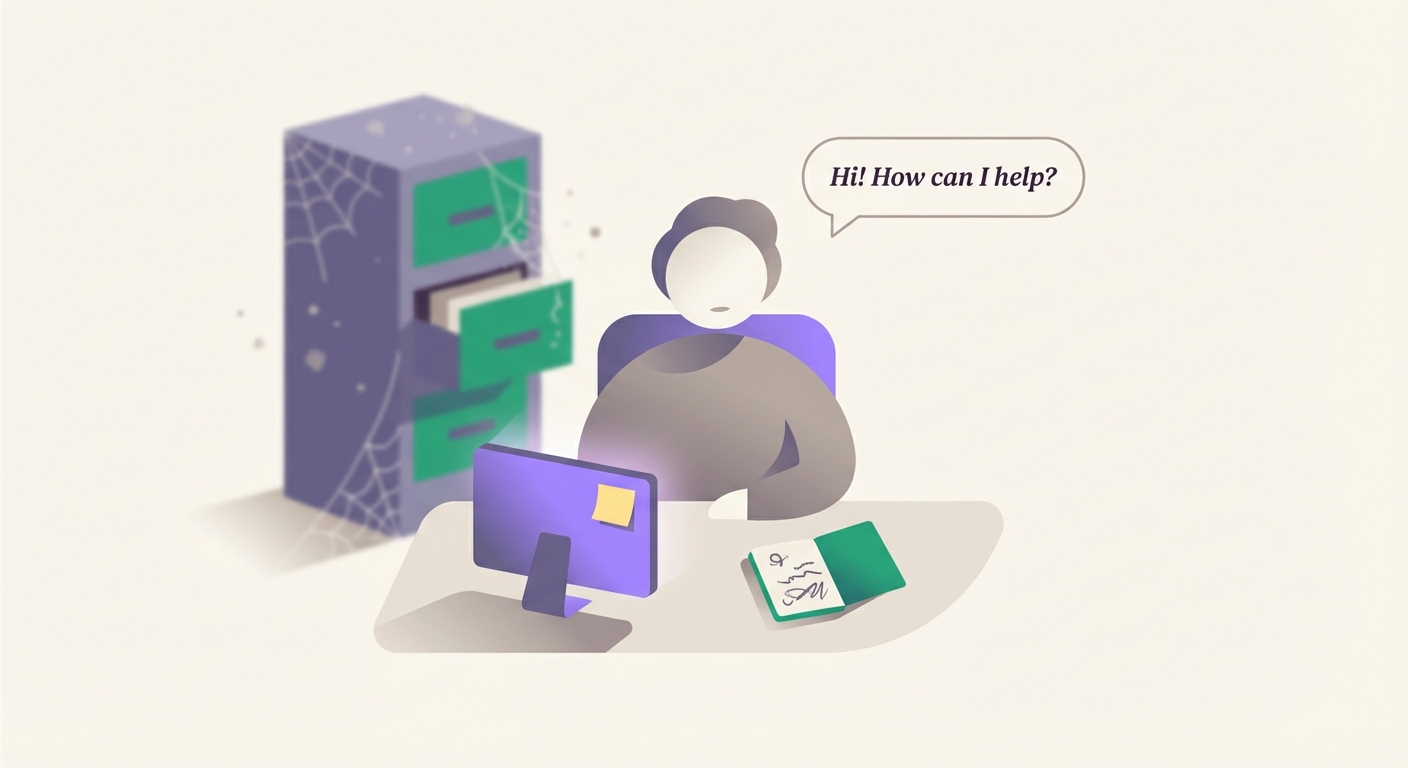
That's ChatGPT.
The solution isn't hoping they'll remember. It's creating an onboarding packet you hand them every morning. That's what a context layer is.
Why the Usual Fixes Don't Work
I tried everything the internet told me to try. None of it worked long-term. Here's why each "fix" fell short.
"Start a new chat"
Sure, this clears the clutter. But it also clears everything useful. You're back to square one, re-explaining context from scratch.
"Use Custom Instructions"
Custom Instructions give you about 1,500 characters of persistent context. That's not nothing. But it's a paragraph. Maybe two.
Try fitting your brand voice, your audience details, your current projects, and your working preferences into that. It's like trying to onboard a new employee with a Post-it note.
"Use ChatGPT's Memory feature"
OpenAI's Memory feature (as of January 2026) automatically stores facts from your conversations. Sounds perfect.
In practice? OpenAI is clear: "Memory is intended for high-level preferences and details, and should not be relied on to store exact templates or large blocks of verbatim text."
That's the official position. It's designed for things like "I'm vegetarian" or "I live in San Francisco." Not for your brand voice guidelines or the nuances of your Q1 campaign.
Plus and Pro users now have "automatic memory management" where a separate AI decides what to keep, prioritize, or move to the background. It considers factors like recency and how often you mention a topic. You can override it, but the default is algorithmic curation of what matters to you.
You can't rely on it for anything complex. It's better than nothing, but it's not a system.
"Use ChatGPT Projects"
This is the best built-in option. Projects let you upload files (5-40 depending on your plan), set custom instructions, and keep related chats together. ChatGPT references your files and stays on-topic within the project.
It's genuinely useful. If you're only using ChatGPT, Projects are worth setting up.
But there are limits. Your context is locked inside ChatGPT. You can't take those files to Claude when it's better for a task, or to a local model for privacy. You're building context for one tool, not for yourself.
The bigger problem: uploaded files go stale fast. Every time you learn something new about your audience, refine your positioning, or update your process, you should update your context files. But re-uploading to ChatGPT is friction. So in practice, you wait weeks or months, working with outdated insights the whole time.
"Summarize often"
"Just ask ChatGPT to summarize the conversation so far."
This works. For about 10 minutes. Then you need to summarize again. And again. You're now spending more time managing the AI's memory than actually getting work done.
The real problem
All these fixes have something in common: they try to store context inside the AI.
That's backwards. The AI's memory is unreliable by design. So why would you trust it to hold your most important information?
The Actual Fix: Build Context Outside the AI
Here's what finally worked for me after months of trying every fix the internet suggested: stop expecting AI to remember. Build context that exists outside of it.
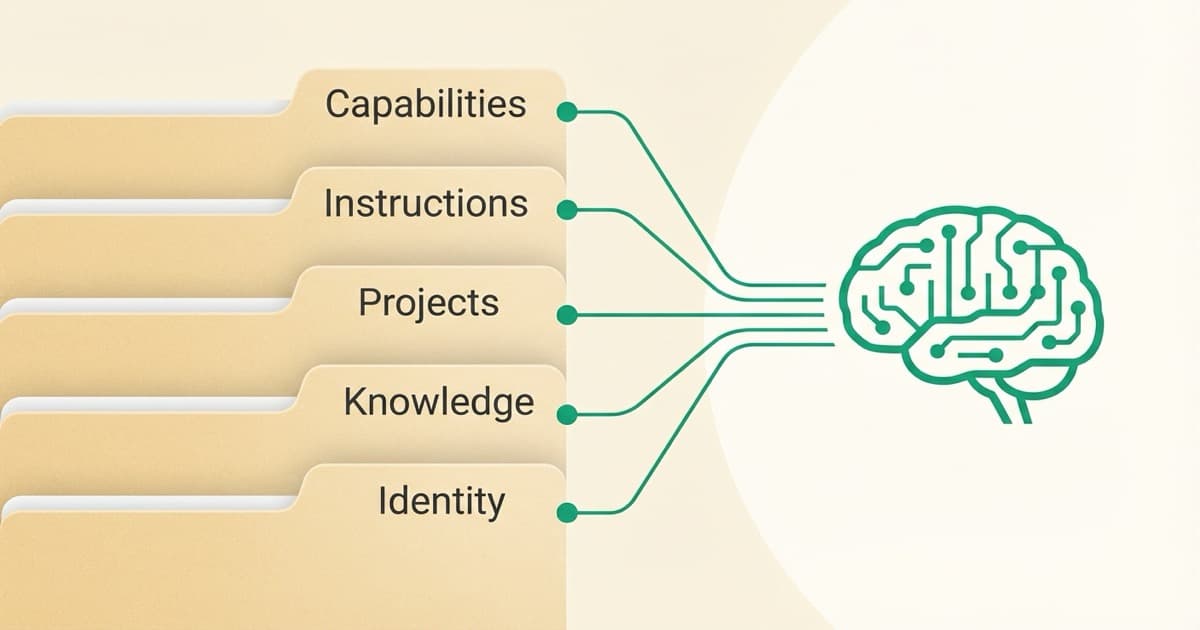
I call this a context layer. It's a system of files, organized by purpose, that you load into AI tools when you need them.
Instead of hoping ChatGPT remembers your brand voice, you have a brand-voice.md file that you load at the start of relevant sessions.
Instead of re-explaining your ICP every time, you have an icp.md file ready to go.
Instead of starting from zero, you start with context.
The key insight: Your context layer lives on your computer (or in the cloud). You own it. You control it. And you can load it into ChatGPT, Claude, or whatever tool is best for the task.
The AI still forgets. But you don't care, because you're not relying on it to remember. You bring the memory with you.
The Full Framework
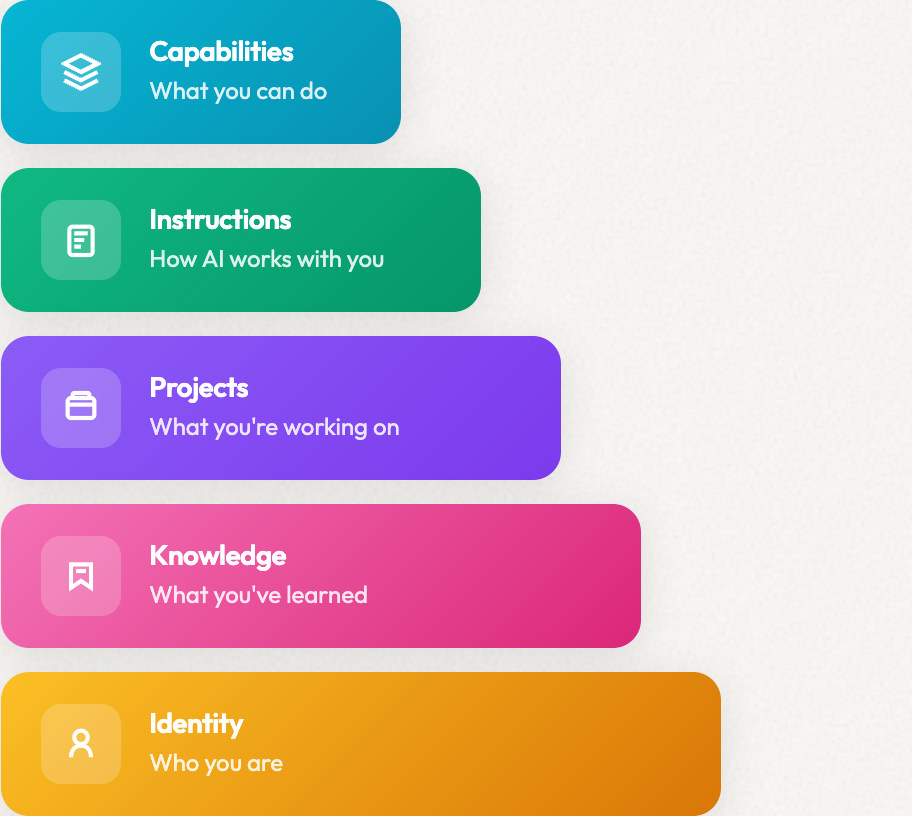
Context layers have 5 parts
Identity, Knowledge, Projects, Instructions, and Capabilities. Each layer serves a different purpose. Together, they give AI everything it needs to work like a team member, not a stranger.
What This Looks Like in Practice
Here's a simple example.
Before (the old way):
Me: "I need to write a LinkedIn post about AI for marketers. My audience is marketing directors at B2B SaaS companies. I want a direct, practical tone. No hype. Lead with a specific insight, not a generic statement..."
[5 minutes of context-setting]
ChatGPT: [Finally produces something usable]
After (with a context layer):
Me: [Loads identity.md and audience.md files]
Me: "Write a LinkedIn post about why ChatGPT keeps forgetting context."
ChatGPT: [Immediately produces something in my voice, for my audience]
The difference is 3-5 minutes per session. Multiply that by multiple sessions per day, and you're looking at hours per week.
But the bigger difference isn't time. It's consistency. My AI outputs sound like me, every time. Because the context is the same every time.
The Bigger Picture
A complete context layer includes five types of files:
- Identity: Who you are and how you sound
- Knowledge: What you know (ICP, competitors, frameworks)
- Projects: What you're working on right now
- Instructions: How you want AI to work with you
- Capabilities: What AI can do for you (skills, agents)
I cover all five layers in What is a Context Layer for AI?. But you don't need the full system to get started.
Start with identity. See the difference. Add more when you're ready.
Questions You Might Have
Why does ChatGPT forget things from earlier in the conversation?
ChatGPT has a "context window" (up to 400K tokens for GPT-5.2, though Pro tiers may have less). As your conversation grows, older messages get pushed out to make room for new ones. The AI prioritizes recent context, so details from early in a long conversation may effectively be "forgotten."
Is ChatGPT's memory getting worse, or was it always like this?
It's always been like this, though it keeps improving. Memory, Projects, larger context windows, automatic memory management. OpenAI is clearly working on it. But every improvement is incremental. The underlying architecture hasn't changed: context windows reset between conversations, and memory is designed for "high-level preferences," not the detailed context that makes AI useful for complex work.
Can I make ChatGPT remember things permanently?
Not reliably. OpenAI says Memory "should not be relied on to store exact templates or large blocks of verbatim text." It's designed for high-level preferences, not detailed context. A separate AI manages what to keep or deprioritize based on recency and frequency, not your actual priorities. Custom Instructions persist but are limited to ~1,500 characters. The only reliable "permanent memory" is context you maintain yourself and load when needed.
What's the difference between ChatGPT Memory and a context layer?
ChatGPT Memory is automatic and passive. It decides what to remember. A context layer is intentional and structured. You decide what matters, organize it by purpose, and load exactly what's relevant for each task. You control it.
Does Claude have the same problem?
Yes. Claude's context window is actually smaller (200K tokens vs ChatGPT's 400K), and it still resets between conversations. Both ChatGPT and Claude now have Projects that let you attach files, which helps. But you're building context for one tool, not for yourself. A context layer works across all AI tools and stays with you regardless of which model you use.
Ready for More?
Build the complete context layer
The context window problem is your starting point. Now add Identity (who you are), Knowledge (what you know), Projects (what you're working on), Instructions (how AI collaborates), and Capabilities (agents that do the work).
The Bottom Line
ChatGPT forgets because that's how the technology works. No amount of prompting will fix it.
What worked for me: stop fighting the AI's limitations. Build a system that doesn't rely on AI memory at all.
Create your context outside the AI. Load it when you need it. Stop teaching the same things over and over.
That's what a context layer does. And once you have one, you'll wonder how you ever worked without it.
What's your experience? Have you found ways to make AI "remember" that actually work? I'm curious what others have tried.
Want to build the full system? Start with What is a Context Layer for AI? for the complete 5-layer framework.