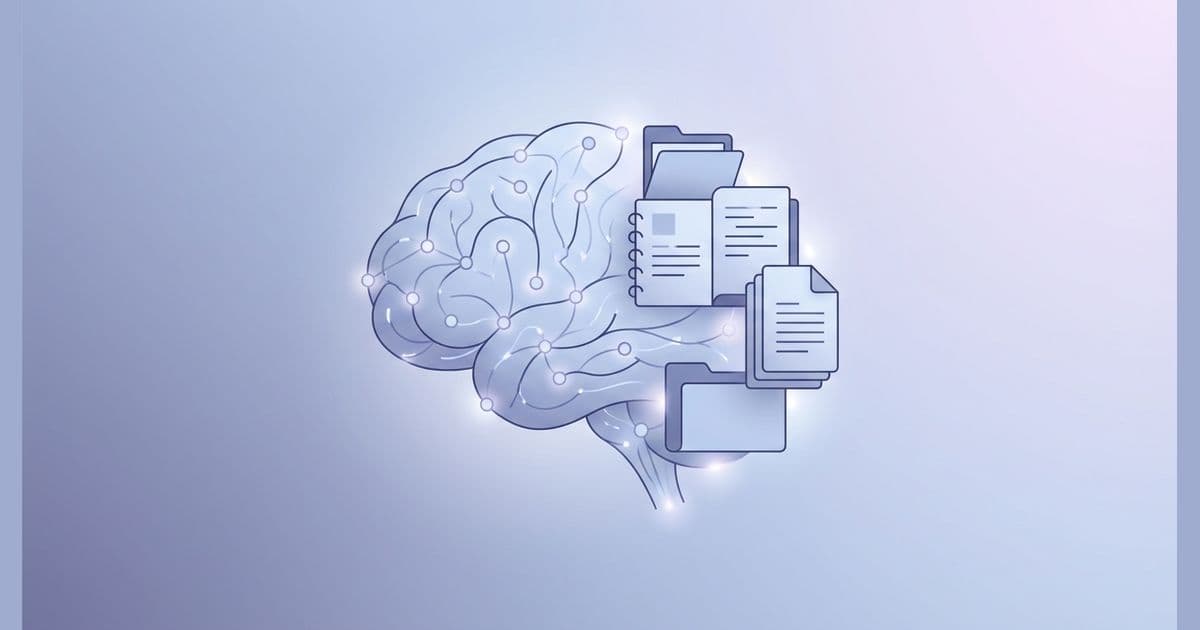
An AI second brain is a structured system of files and instructions that gives AI tools persistent memory about who you are, what you know, and how you work. Instead of re-explaining your brand, your audience, and your preferences every conversation, you build context once and load it when you need it.
For marketers, this means AI that remembers your brand voice, understands your ICP, and produces drafts you can actually use. The difference between generic AI output and genuinely useful work often comes down to this: context.
In this guide, you'll learn:
- Why AI keeps forgetting you (and why "better prompts" won't fix it)
- The 5-layer architecture that makes AI second brains work
- How to build your first one in 30 minutes
- The weekly ritual that keeps it useful over time
I built my first version about a year ago after getting frustrated with teaching ChatGPT the same things over and over. What started as a few text files has become the system I use to run marketing at the B2B SaaS company where I work. Here's what I've learned.
Why AI Keeps Forgetting Everything
If you've used ChatGPT or Claude for more than a few sessions, you've experienced the frustration. You spend 10 minutes explaining your brand voice, your audience, what you need. AI nails it. Great output.
Next day? Fresh conversation. It has no idea who you are.
This isn't a bug. It's how the technology works.
The Goldfish Memory Problem
Every AI model has a "context window" that limits how much information it can hold at once. For ChatGPT, that's up to 400,000 tokens. For Claude, about 200,000. Sounds like a lot.
Here's the problem: that window resets every conversation.
Everything you taught the AI last week? Gone. The nuances about your positioning you spent 20 minutes explaining? Forgotten. The feedback on your writing style you gave three conversations ago? Vanished.
Even within a single conversation, as messages pile up, older information gets pushed out. By message 30, the AI might have "forgotten" what you established in message 5.
Why the Usual Fixes Fall Short
You've probably tried the workarounds:
Custom Instructions: ChatGPT gives you about 1,500 characters of persistent context. That's a paragraph or two. Try fitting your brand voice, your ICP, your current projects, and your working preferences into that. It's like onboarding a new hire with a Post-it note.
ChatGPT Memory: OpenAI's Memory feature automatically stores facts from conversations. In practice, OpenAI says it's "intended for high-level preferences" and "should not be relied on to store exact templates or large blocks of verbatim text." It remembers that you're a marketer. It won't remember your brand voice guidelines.
Claude Projects: Better option. You can upload files and keep related chats together. But your context is locked inside Claude. You can't take those files to ChatGPT when you need it, or to Cursor for coding work. You're building context for one tool, not for yourself.
Summarizing constantly: Works for about 10 minutes. Then you summarize again. You're now spending more time managing AI's memory than doing actual work.
All these approaches have the same flaw: they try to store context inside the AI.
The AI's memory is unreliable by design. So why would you trust it to hold your most important information?
The Full Framework
This is the Identity layer
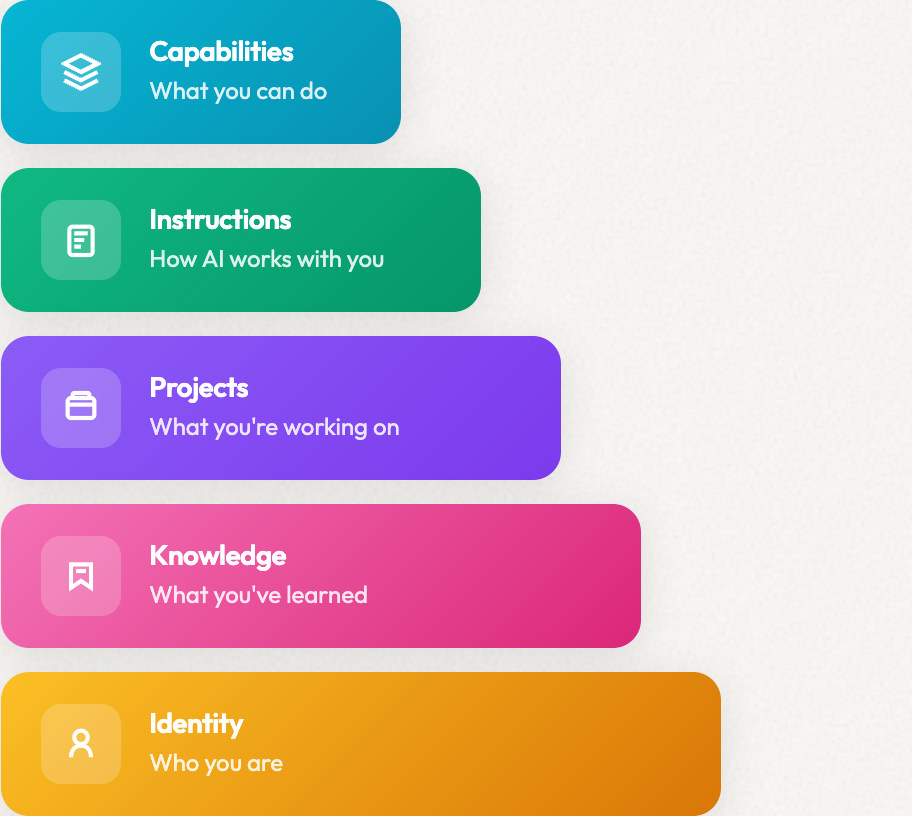
Your AI second brain maps to the 5-layer context architecture. Identity (who you are), Knowledge (what you've learned), Projects (what you're working on), Instructions (how AI works with you), and Capabilities (what AI can do for you).
The Solution: Build Context Outside the AI
Here's what finally worked for me: stop expecting AI to remember. Build context that exists outside of it.
An AI second brain is a collection of files, organized by purpose, that you control. You load what's relevant for each task. The AI still forgets between conversations. You don't care, because you're not relying on it to remember. You bring the memory with you.
This approach has three advantages:
Portability. Your context works with Claude, ChatGPT, Cursor, or whatever tool is best for the task. You're not locked into one vendor.
Control. You decide what's stored, how it's organized, and what gets loaded when. No algorithm deciding what matters to you.
Durability. Your context lives on your computer or in cloud storage. It doesn't disappear when a company changes their product or you cancel a subscription.
Some people call this a "context layer" because it's less about storage (like Tiago Forte's original Second Brain concept) and more about infrastructure that makes AI useful. The terminology doesn't matter. What matters is that it works.
The 5-Layer AI Second Brain Architecture
After months of building, testing, and rebuilding, I landed on a 5-layer structure. Earlier versions were either too simple (didn't cover enough) or too complicated (I never used them). This is the version that stuck.
Layer 1: Identity (Who You Are)
What it contains: Your brand voice, positioning, values, communication style, and personal background.
Why it matters: AI can only write in your voice if it knows your voice. This layer shapes every output.
What goes in it:
- Brand voice guide (how you sound, with examples)
- Positioning statement (what you stand for)
- About me / company background
- Communication preferences (formal vs. casual, emoji use, etc.)
Example file structure:
identity/
├── brand-voice.md
├── positioning.md
├── about-me.md
└── communication-style.md
Starter prompt for creating your brand voice file:
Analyze these 5 pieces of content I've written [paste examples]. Identify patterns in my voice: sentence length, vocabulary choices, how I open and close pieces, my perspective on AI, what I emphasize, what I avoid. Write a brand voice guide I can give to AI tools.
Layer 2: Knowledge (What You've Learned)
What it contains: Your accumulated expertise, frameworks, domain knowledge, and lessons learned.
Why it matters: AI can only apply your methods if it knows your methods. This layer turns AI into a specialist in your domain.
What goes in it:
- Best practices you've developed
- Frameworks you use regularly
- Industry-specific knowledge
- Lessons learned from past projects
- Templates and examples that work
Example file structure:
knowledge/
├── email-marketing-best-practices.md
├── icp-research.md
├── competitor-analysis.md
├── lessons-learned.md
└── templates/
    ├── blog-post-template.md
    └── email-sequence-template.md
Pro tip: Start with whatever you explain most often. For me, it was our ICP. I was re-explaining our target customer to AI constantly. Writing it down once and loading it each time saved me 5-10 minutes per session.
Layer 3: Projects (What You're Working On)
What it contains: Active campaigns, current goals, target accounts, and ongoing initiatives.
Why it matters: AI can only help with your work if it knows what you're working on. This layer provides immediate, relevant context.
What goes in it:
- Active campaign briefs
- Current quarter goals
- Target account profiles
- Content calendar
- Project-specific context
Example file structure:
projects/
├── q1-2026-goals.md
├── active-campaigns/
│   ├── product-launch-jan.md
│   └── webinar-series.md
├── target-accounts/
└── content-calendar.md
This layer changes frequently. That's the point. It keeps AI current on what matters now, not three months ago.
Layer 4: Instructions (How AI Works With You)
What it contains: Rules for AI behavior, preferences for outputs, workflow patterns, and working agreements.
Why it matters: AI can only follow your preferences if you've documented them. This layer shapes how AI thinks and responds.
What goes in it:
- General working instructions
- Output format preferences
- Decision rules ("always ask before doing X")
- Workflow patterns
- Quality standards
Example file structure:
instructions/
├── working-style.md
├── output-preferences.md
├── quality-standards.md
└── workflow-rules.md
Example content for working-style.md:
## How I Work

- I think iteratively: high-level structure first, then refine
- Give me bullet points for feedback, prose for thinking
- Challenge my assumptions when appropriate
- Be direct and specific, no hedging
- If something is unclear, ask rather than guess
Layer 5: Capabilities (What AI Can Do For You)
What it contains: Skills the AI can perform, tools it can use, actions it can take on your behalf.
Why it matters: This layer turns AI from a chatbot into something that can actually do things for you.
What goes in it:
- Skill definitions (specific tasks AI can perform)
- Reusable prompts for common tasks
- Agent configurations (specialized AI "employees")
- Tool integrations
Example file structure:
capabilities/
├── skills/
│   ├── write-email.md
│   ├── research-competitor.md
│   └── generate-report.md
└── prompts/
    ├── content-repurposing.md
    └── meeting-summary.md
This is the most advanced layer. You might not need it on day one. Start with Identity and Knowledge, and add capabilities when you find yourself repeating the same complex prompts.
How the Layers Stack
The layers build on each other:
┌─────────────────────────┐
│     Capabilities        │  What AI can do
├─────────────────────────┤
│     Instructions        │  How AI works with you
├─────────────────────────┤
│       Projects          │  What you're working on
├─────────────────────────┤
│      Knowledge          │  What you've learned
├─────────────────────────┤
│       Identity          │  Who you are
└─────────────────────────┘
Identity is the foundation. You can start with just the bottom two layers and add the rest as you need them.
Build Your AI Second Brain in 30 Minutes
You don't need all five layers to start. Here's how to build a working system in your first session.
Step 1: Create Your Folder Structure (2 minutes)
Create a folder called ai-brain (or whatever you want to call it). Inside, create two subfolders: identity and knowledge.
ai-brain/
├── identity/
└── knowledge/
That's it for now. You'll add more folders as you need them.
Step 2: Write Your Identity File (15 minutes)
Create a file called about-me.md in your identity folder. Include:
Who you are (2-3 sentences): Your role, your company, what you do.
How you sound (with examples): Direct or conversational? Formal or casual? What words do you use and avoid?
Your preferences: How you like feedback, what you emphasize, pet peeves.
Here's a starter template:
# About Me

I'm [name]. I [role] at [company/context]. We [what you do] for [who you serve].

## How I Sound

[3-5 characteristics of your voice]

Examples:

GOOD: "[Example of writing that sounds like you]"
BAD: "[Example of writing that doesn't sound like you]"

## Preferences

- [How you like to work]
- [What you emphasize]
- [What you avoid]
Step 3: Write One Knowledge File (10 minutes)
Think about what you explain to AI most often. Your ICP? Your product? Your content strategy?
Pick one. Write it down. It doesn't need to be comprehensive. It needs to capture the essentials.
Create a file in your knowledge folder. For example, icp.md:
# Our Ideal Customer

## Who We Sell To

[Role] at [company type] who [situation/trigger].

## Their Pain Points

1. [Pain point with specific example]
2. [Pain point with specific example]
3. [Pain point with specific example]

## What They Care About

- [Priority 1]
- [Priority 2]
- [Priority 3]

## How We Help

[1-2 sentences on your value proposition]
Step 4: Test It (5 minutes)
Now load your two files into an AI conversation. You can:
- Claude: Create a Project and add the files
- ChatGPT: Copy/paste into the conversation or upload
- Cursor: Add to your context files
Then ask AI to do something that would normally require context. Write a LinkedIn post. Draft an email. Create a campaign brief.
Compare the output to what you'd get without context. The difference should be obvious.
What You Should See
Before (no context): Generic output that sounds like everyone else. You'd need to rewrite most of it.
After (with context): Output that sounds more like you, understands your audience, and needs less editing.
If you don't see a meaningful difference, your context files might be too vague. Add more specific examples and details.
What Marketers Should Put in Their AI Second Brain
Here's what I've found most valuable in my own system, specifically for marketing work.
Essential Identity Context
Brand Voice Guide: This is the most important file. Include:
- 5-10 adjectives that describe your voice
- 3-5 "good" examples of your writing
- 3-5 "bad" examples (what you don't sound like)
- Specific phrases you use and avoid
- Your perspective on industry topics
Positioning Document: What you stand for, who you're for, what makes you different. AI can't position your content correctly without this.
Essential Knowledge Context
ICP (Ideal Customer Profile): Demographics, psychographics, pain points, priorities. The more specific, the better. Include actual quotes from customers if you have them.
Product/Service Details: What you sell, how it works, key differentiators, common objections and responses.
Competitor Overview: Who you compete with, how you differentiate, what they say vs. what you say.
Past Campaign Learnings: What's worked, what hasn't, why. AI can learn from your experience.
Project Context to Update Regularly
Current Goals: What are you trying to achieve this quarter? This shapes every piece of content.
Active Campaigns: Brief for each major initiative. What's the goal, who's the audience, what's the message, where are you in the process.
Content Calendar: What's coming up, what's the theme, what content supports what.
The Weekly Ritual That Makes It Work
The most common failure mode for any system like this: you build it, use it for a week, and then it goes stale. Three months later, you're back to re-explaining everything because your files are outdated.
I've tried various maintenance approaches. This 15-minute weekly ritual is what stuck:
The 15-Minute Friday Review
Minutes 1-5: Scan your Projects layer
- Is anything outdated? Archive it.
- Did you start something new this week? Add a brief file.
- Update any campaign statuses.
Minutes 5-10: Capture one learning
- What did you learn this week that you'd want AI to know?
- Add it to Knowledge (could be a new file or addition to existing).
Minutes 10-15: Quick test
- Pick a task you'll do next week
- Load relevant context, run a test prompt
- Does the output reflect your current thinking? If not, what context is missing?
Why Most AI Second Brains Fail
I've rebuilt my system multiple times. Here's what caused failures:
Over-engineering upfront: I'd spend a weekend building an elaborate system I never actually used. Start simple. Add complexity only when you feel the need.
Context rot: Files that were accurate in October are misleading in January. If you're not updating, you're degrading. (I wrote about upgrading my own AI memory system after hitting this exact wall.)
Loading everything always: More context isn't always better. AI attention is limited. Load what's relevant for the task, not your entire knowledge base.
No maintenance rhythm: Random updates don't work. Scheduled reviews do. Friday afternoon is my time. Find yours.
Second Brain vs. Context Layer: When to Level Up
You might have noticed I've used "second brain" and "context layer" somewhat interchangeably. They're related but not identical, and the distinction matters when you're ready to go deeper.
Second Brain (Tiago Forte's Concept)
The original "Building a Second Brain" methodology is about personal knowledge management for humans. Capture, Organize, Distill, Express. It's a system for remembering and retrieving information.
It's valuable. If you've built a second brain in Notion or Obsidian, you have raw material for an AI second brain.
But a traditional second brain isn't optimized for AI consumption. The structure serves human browsing, not AI loading. The content is organized for you to find things, not for AI to understand context.
Context Layer (AI-Native Architecture)
A context layer is specifically designed for AI. The structure serves AI comprehension. The content is written to be loaded into context windows. The organization maps to how AI tools consume information.
Key differences:
| Second Brain | Context Layer |
|---|---|
| Organized for human retrieval | Structured for AI loading |
| Stores everything you learn | Stores what AI needs to know |
| One system, many uses | Purpose-built for AI work |
| Tool-specific (Notion, Obsidian) | Portable across AI tools |
| Passive storage | Active infrastructure |
Think of it this way: a second brain is a library. A context layer is a briefing system.
When to Make the Shift
If you're just getting started, don't worry about this distinction. Build the 5-layer system in this guide. That's enough to get meaningful results.
When you're ready to go deeper:
- When you want AI "employees" that can perform specific roles
- When you need context to load automatically based on task type
- When you're using multiple AI tools and want consistency across them
- When you want AI to not just know your context but act on it
That's when you're building a context layer, not just a second brain. I cover this evolution in What is a Context Layer for AI?.
Questions You Might Have
What is an AI second brain?
An AI second brain is a structured system of files and instructions that gives AI tools persistent memory about who you are, what you know, and how you work. It solves the problem of AI forgetting everything between conversations by storing your context outside the AI and loading it when needed.
How is an AI second brain different from ChatGPT's memory?
ChatGPT's memory passively stores random facts from conversations. An AI second brain is intentionally structured, organized by purpose (identity, knowledge, projects), and portable across tools. You control what's stored, and you can use it with Claude, ChatGPT, or any AI tool.
How long does it take to build an AI second brain?
You can build a working starter system in 30 minutes. Create your identity file (15 minutes), add one knowledge file (10 minutes), and test it (5 minutes). From there, you expand gradually as you need more context.
Do I need coding skills to build an AI second brain?
No. An AI second brain is just markdown files organized in folders. If you can write a document and create a folder structure, you can build one. Technical users can add GitHub and Claude Code for more power, but it's not required.
What tools do I need for an AI second brain?
You need a text editor (any will work), a place to store files (your computer or cloud storage like Dropbox/Google Drive), and an AI tool that accepts context (Claude Projects, ChatGPT with custom instructions, or Cursor). No special software required.
What's the difference between a second brain and a context layer?
A second brain is primarily storage and organization for human retrieval. A context layer is AI infrastructure designed for AI consumption. Think of a second brain as a library and a context layer as a briefing system. A context layer is what a second brain becomes when you optimize it for AI.
How do I avoid my AI second brain going stale?
Schedule a weekly 15-minute review. Update your Projects layer with current work. Capture one learning from the week. Test your context with a real task. Friday afternoons work well for this. Without a regular rhythm, context rot is inevitable.
Can I use my existing second brain in Notion?
Yes. Your existing notes are raw material. The work is restructuring them for AI consumption: creating concise context files, organizing by the 5-layer structure, and making content AI-readable (clear, specific, example-rich). You're not starting from zero.
Your Next Steps
You now understand what an AI second brain is, why it matters, and how to build one. Here's how to take action:
Option 1: Start Today (Free)
Create two files:
about-me.mdwith your voice and backgroundicp.mdwith your ideal customer
Load them into your next AI session. See the difference.
This takes 30 minutes. You'll know immediately if it's working.
Option 2: Get the Starter Templates
I've created a Context Layer Starter Kit with:
- Template files for all 5 layers
- Example content you can customize
- Setup guides for Claude Projects and ChatGPT
- The weekly review checklist
[Get the Starter Kit]
Option 3: Build the Full System
The complete ContextLayer methodology covers:
- Building specialized AI employees for marketing tasks
- Workflow integration across tools
- Advanced techniques for AI that learns and improves
[Explore the full curriculum]
Summary
| Aspect | Key Point |
|---|---|
| What it is | Structured files that give AI persistent memory |
| Why it matters | Stops the cycle of re-explaining everything |
| The 5 layers | Identity, Knowledge, Projects, Instructions, Capabilities |
| Time to start | 30 minutes for a working system |
| Maintenance | 15-minute weekly review |
| Best for | Marketers who use AI daily and want consistent results |
AI keeps forgetting because that's how the technology works. The solution isn't fighting that limitation. It's building a system that doesn't rely on AI memory at all.
Create your context outside the AI. Load it when you need it. Stop teaching the same things over and over.
That's what an AI second brain does. And once you have one, you'll wonder how you worked without it.
What's been your experience with AI context and memory? I'm curious what's worked for you.
Ready for More?
Build the complete context layer
Your AI second brain is the foundation. Now add the full 5-layer system: Identity, Knowledge, Projects, Instructions, and Capabilities. Turn AI from a chatbot into your marketing team.
Building context that compounds.